
How to Create Engaging Labour Day Posters for Your Business Using AI
Labour Day, widely celebrated as International Workers' Day or May Day, is more than just a public holiday. It's a prime opportunity for businesses to connect with their audience, show appreciation for their workforce, and run timely promotions. However, if you're a small business owner or a busy marketer, finding the time to design a high-quality poster from scratch can be challenging.
You might have found yourself searching for "how to get Labour Day posters" or scrolling through generic templates that look exactly like what your competitors are posting. The good news? You don't need to hire an expensive designer or settle for clunky, overused stock images anymore.
The Secret to Ranking & Reaching Your Audience
When it comes to social media reach, engagement is everything. Platforms like Facebook, Instagram, and LinkedIn prioritize original, visually striking content over recycled templates. A custom, branded Labour Day poster not only grabs attention but also reinforces your brand identity.
But how do you create an original design in minutes? That's where AI steps in. Using our platform, you can automatically generate a unique, professional poster tailored specifically to your brand.
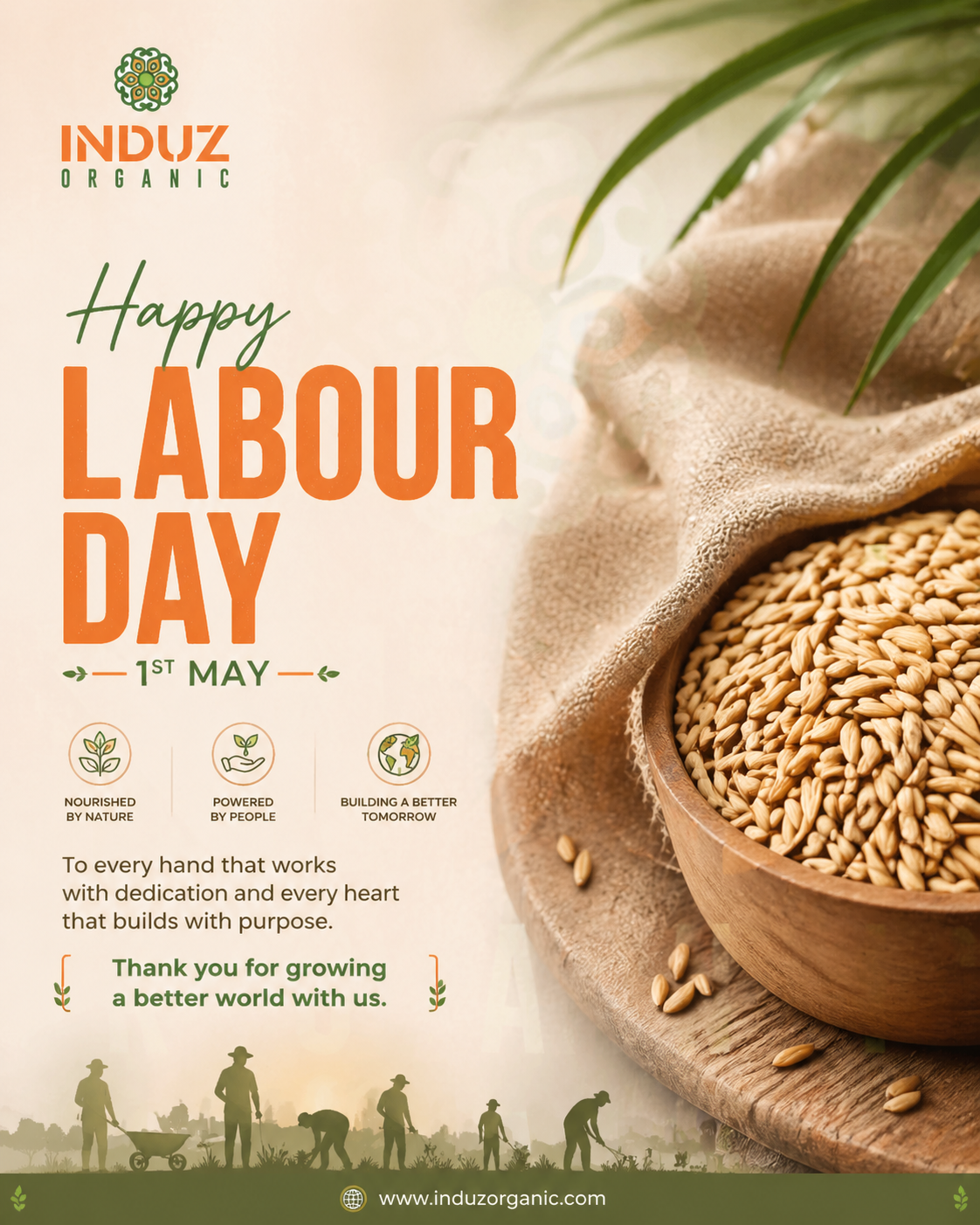
An engaging Labour Day poster generated entirely using our platform's AI Festival Feature.
Why LinkedIn is Crucial for Labour Day
While platforms like Facebook and Instagram are great for consumer-facing engagement, LinkedIn is the primary channel for B2B brands and professional networking. International Workers' Day is intrinsically tied to the workforce, making it the perfect occasion to publish a Labour Day LinkedIn post that highlights your company culture, celebrates your employees, and reinforces your brand's professional values.
Many professionals search for "how to post on LinkedIn for Labour Day" because they want something polished. An AI-generated, high-quality poster is exactly what stops the scroll in a professional feed. Best of all, using our platform, you can create the image and post it to LinkedIn directly without ever leaving your dashboard.
How to Make Your Own Labour Day Poster
With Chrombyte's Festival Feature, you can create stunning holiday content without writing complex prompts or struggling with complicated design software. Here is the exact workflow:
The 3-Step Process
Step 1: Login & Onboard - Log in and complete your brand onboarding to ensure your logo, colors, and business details are ready.
Step 2: Access the Generator - Go to the Social Studio AI and then Festival Generator in your dashboard and select "Labour Day".
Step 3: Generate - Hit generate. Your poster will be instantly built and ready for your brand, company, or shop to download.
Step 4: Post Directly - Want to save even more time? Connect your business Instagram, Facebook, and LinkedIn accounts and directly publish your new International Workers' Day poster straight from our platform!
Why Use AI for Festival Posts?
Unlike traditional templates, an AI festival post generator creates a net-new composition every single time. It understands context, lighting, and typography. You aren't just slapping text over a stock photo; you're generating custom art that resonates with the theme of hard work and celebration.
This ensures your posts look premium, feel authentic, and—most importantly—are not perceived as "just another AI-generated image."
Stand Out This Labour Day
Ready to ditch the boring templates? Create your custom, high-converting Labour Day poster in seconds using our AI Festival Feature.
Create Your Labour Day Poster Now